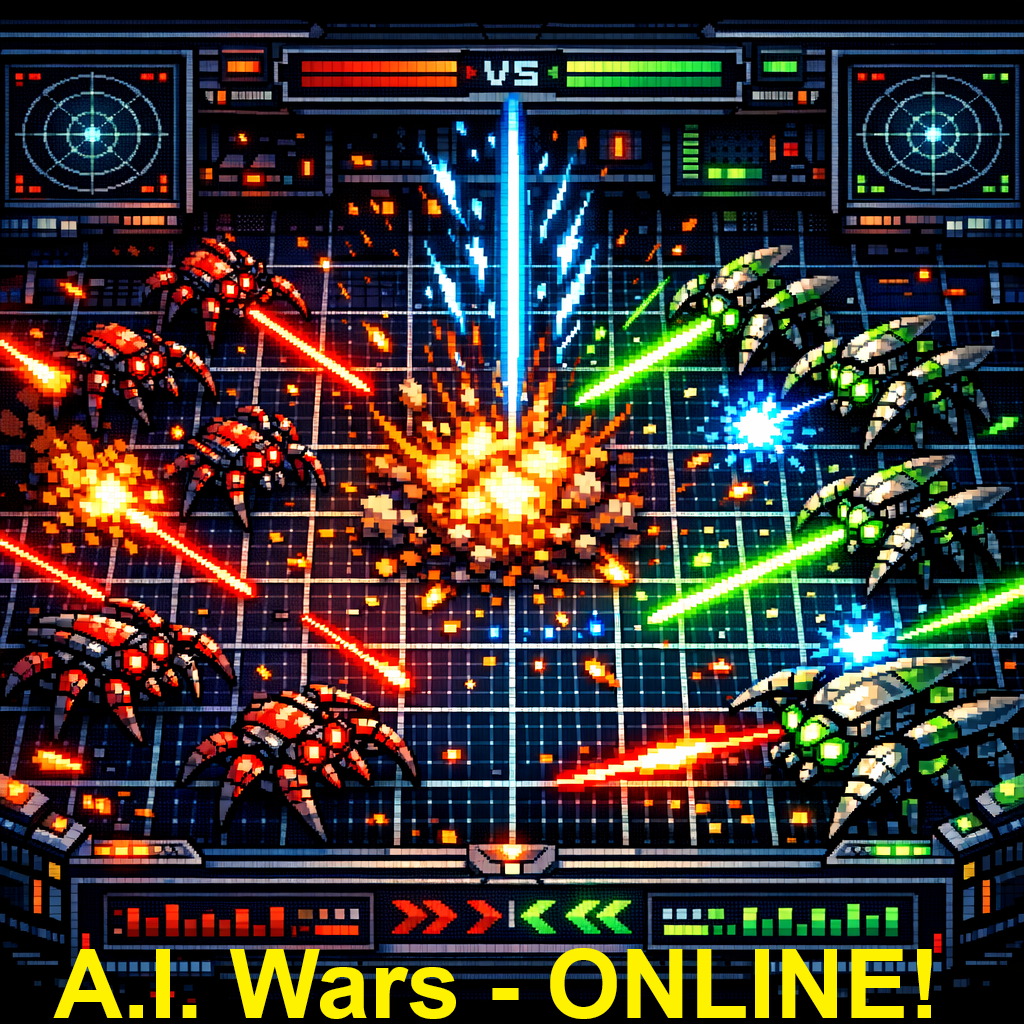
A.I. Wars is a turn-based battle simulation where autonomous agents called Cybugs compete on a 2D grid map. Each Cybug is driven by an AI script written in CAICL (Cybug AI Command Language). Cybugs use movement, weapons, sensors, and tactics to destroy opponents and accumulate the highest score.
Up to 10 Cybugs can battle simultaneously. Cybugs with matching IFF codes form teams and will not attack each other. Battles end when only one team remains, or when the tick limit is reached.
- Open the Battle Setup tab (active by default).
- Enable one or more Cybug Slots by checking their checkbox.
- Load an AI script (.ai or .txt) into each active slot by clicking the script button.
- Drag-and-drop a .map file onto the Map panel, or click the drop zone to browse.
- Adjust Battle Settings as needed.
- Click ▶▶ LAUNCH BATTLE.
- When the battle completes, the Battle Viewer tab opens automatically. Click PLAY to watch.
ⓘ The application must be served over HTTP (not opened as a file://) for the Web Worker engine to function. Use VS Code Live Server, Python SimpleHTTPServer, or any local web server.
ⓘ Deployment, folder structure, and configuration (config.json, cache control, adding maps/cybugs) are covered in README.TXT included with the application files.
| Control | Description |
|---|---|
| Checkbox | Enable or disable this slot for the battle. |
| Name field | Display name for the Cybug (auto-filled from script). |
| Team field | Team number used to generate the initial IFF code when IFF Disabled is off. |
| Script button | Load a .ai / .txt file from disk or server, or open the built-in editor. Green = script loaded. Yellow = debug watch active. |
| Password protection | Scripts can be encrypted. A password prompt appears if the correct key is not supplied for a debug-watch request. |
The built-in editor opens full-screen and provides everything needed to write and refine CAICL scripts without leaving the application.
| Feature | Description |
|---|---|
| Syntax highlighting | Commands are coloured by category — movement, weapons, scanning, flow control, math, and more — making scripts easier to read at a glance. |
| No line wrapping | Long lines scroll horizontally. A scrollbar appears at the bottom of the editor area. |
| Find bar | Always visible at the top of the editor. Type to search; matches are highlighted in amber throughout the script with the current match outlined in gold. Shows a live match counter (e.g. 3 of 12). |
| CAICL REF panel | Click the ■ CAICL REF button in the editor header to open a reference panel alongside the script. Contains the full command reference, system variables, subclick costs, math functions, and community navigation formulas — all searchable and collapsible. Click again to close. |
| Save / Save to File | SAVE commits the script to the slot in memory. SAVE TO FILE downloads (or saves via the browser file picker) as a .ai file. |
| Shortcut | Action |
|---|---|
| Ctrl+F / Cmd+F | Focus the Find bar |
| Enter (in find bar) | Find next match |
| Shift+Enter (in find bar) | Find previous match |
| F3 / Shift+F3 | Find next / previous from the script textarea |
| Esc (in find bar) | Clear the search |
| Esc (in script area) | Close the editor |
| Ctrl+S / Cmd+S | Save script to slot |
| Tab | Insert two spaces at the cursor |
| Setting | Default | Description |
|---|---|---|
| Stop at Tick | 2000 | Maximum number of turns before battle is forced to end. |
| Max Damage | 10 | Damage points required to destroy a Cybug. |
| Start Fuel | 2500 | Fuel each Cybug begins with. Fuel is consumed each turn; a Cybug with 0 fuel is frozen. |
| Start Ammo | 30 | Ammo each Cybug begins with. Required for weapons and cloak. |
| Overheat Limit | 30 | Shield heat units before the shield auto-shuts down. |
| IFF Disabled | Off | When checked, all Cybugs receive unique IFF codes and fight solo — no teams. |
| Shield Overheat Disabled | Off | When checked, shields cannot overheat regardless of use. |
| Smart Clicks Disabled | Off | When checked, disables the smart-click subsystem (scan commands cost more ticks). |
| Last Bug Bonus | On | When checked, the last surviving Cybug receives a score bonus. |
| End If No Move | On | When checked, the battle ends automatically if no Cybug has moved for an extended period. Prevents stalemates. |
| End On Queen Death | Off | When checked, the battle ends immediately when a ♛ Queen Cybug is destroyed. Useful for team battles where the Queen is a strategic victory condition. The Queen's team also suffers a score penalty on her death. |
The LAUNCH CONTROL panel contains the launch button, a progress indicator, and a live scoreboard table showing each active Cybug's slot number, name, score, damage, fuel, and ammo. IFF codes are intentionally not displayed to keep team strategies private.
Drag a .map file onto the Map panel or click the drop zone to browse. The map preview renders immediately. The filename and dimensions are shown below the preview.
The built-in Map Editor lets you create new battle maps or modify any loaded map directly in the browser — no external tools required. Maps are saved as standard .map files and are immediately available for battle.
Load any map using the Map panel drop zone or file picker (or start with the default map already showing), then click the ✎ EDIT MAP button below the map preview. The editor opens as a full-screen overlay with your current map preloaded and ready to paint. If no map has been loaded yet, the editor starts with a blank 45×32 grid bordered by walls.
Every A.I. Wars map is exactly 45 columns × 32 rows. The outermost ring of cells (row 0, row 31, column 0, column 44) is always a wall and cannot be painted. This border is automatically enforced; attempting to click it has no effect.
The left-hand panel contains all placement tools organised by category. Click a tool to select it (highlighted in cyan), then paint cells on the canvas.
| Category | Tool | Map Character | Description |
|---|---|---|---|
| Terrain | Floor | 0 | Open, walkable space. Default interior cell. |
| Wall | V | Impassable obstacle. Cybugs, missiles, and grenades cannot pass through walls. | |
| Objects | Flag | F | Collectible flag. Drawn as a white pole with a red triangle, identical to the battle viewer. Collecting a flag restores fuel and ammo and awards score. |
| Mine | 9 | Map-embedded mine. Drawn as a purple X, identical to the battle viewer. Any Cybug that walks onto a mine cell triggers it. | |
| Random Start | Random | Z | A general Cybug start position not assigned to a specific slot. See Random Start Positions below. |
| Slots 1–10 | Slot 1 … Slot 10 | I … R | Fixed starting position for a specific Cybug slot. Each slot character can appear only once on the map; placing it removes any previous occurrence. Drawn with the slot's team colour number. |
- Left-click a cell to place the selected tool.
- Left-click and drag to paint a stroke of cells continuously.
- Right-click (or right-click drag) to erase — sets any cell back to open floor regardless of the selected tool.
- Border cells are never affected by any painting action.
A map may contain at most 10 Cybug start positions in any combination of named slot cells (I–R) and Random Start cells (Z). The status bar at the bottom of the editor shows a live count (Starts: N/10). Once the limit is reached, painting any additional start tool is silently blocked; erase an existing start cell first to free up a slot.
Placing one or more Random Start (Z) cells on the map allows Cybugs to begin at positions that are not tied to a specific slot number. When LAUNCH BATTLE is clicked, the engine automatically:
- Collects all
Zcells on the map and shuffles their positions randomly. - Identifies which active Cybug slots do not have a fixed slot char (
I–R) on the map. - Assigns the shuffled
Zpositions to those slots — so each battle launch produces a different starting arrangement. - Any
Zcells left over after all eligible slots are assigned become open floor for that battle.
The ⌫ CLEAR button in the editor footer resets every interior cell to open floor and restores a clean border wall, giving you a blank canvas. A confirmation prompt prevents accidental clears.
Click ⇓ SAVE .MAP at any time to download the current map as a .map file. A filename prompt appears pre-filled with <currentmap>_edited — edit the name as needed before saving. The .map extension is appended automatically if omitted. Saving does not close the editor, so you can continue painting and save multiple versions.
| Button | Action |
|---|---|
| ✓ DONE | Prompts whether to save the map to a .map file, then closes the editor and loads the edited map into the Map panel ready for the next battle launch. The map preview and info bar update immediately. |
| CANCEL | Closes the editor and discards all edits. The previously loaded map remains unchanged in the Map panel. |
| × CLOSE (header) | Identical to DONE — prompts to save, then loads the edited map. |
A .map file is a plain text file containing exactly 32 lines of 45 characters each. The character set is the same as documented in the CAICL reference. Maps created by the editor are directly compatible with the original A.I. Wars desktop application.
| Character | Meaning |
|---|---|
0 | Open floor (walkable) |
V, 1–8, H | Wall / obstacle (impassable) |
F | Flag |
9 | Mine |
Z | Random Cybug start |
I–R | Fixed start for slots 1–10 respectively |
IFF (Identify Friend or Foe) codes determine team allegiance. Cybugs with the same IFF code are allies and share hive-mind variables, but friendly fire is not prevented by the engine — weapons, mines, grenades, and energy discharge damage any Cybug they reach regardless of IFF. It is the responsibility of each AI script to scan before firing and avoid harming teammates. Mines are live explosive objects and will trigger for any Cybug that steps on them, including the one that laid them. The Team dropdown on each Cybug slot card controls how IFF codes are assigned.
| Team Dropdown | Script iff code command | Behaviour |
|---|---|---|
| FFA (Free For All) | Honoured | Each Cybug starts with a unique IFF and uses its own scripted iff code commands to define team membership at runtime. Two Cybugs running iff code ALPHA will become allies mid-battle. |
| Team 1 – Team 6 | Ignored | The Cybug is permanently assigned to the selected team. Any iff code commands in the script are silently ignored — the team assignment cannot be overridden at runtime. |
| Any (IFF Disabled setting) | Ignored | When IFF Disabled is checked in Battle Settings, all team dropdown selections are overridden. Every Cybug receives a permanently unique IFF code and fights solo. No iff code commands have any effect. |
- Allies share the same color in the battle viewer and on the scoreboard.
- A battle ends automatically when only one IFF team remains alive (unless IFF Disabled is checked).
The Battle Log shows a verbose play-by-play transcript of the completed battle. It is available after each battle is run and can be downloaded as a text file.
IFF codes are intentionally omitted from the log to keep team strategies private. Each event is time-stamped with a tick number [T=0042] and includes:
- Every move, turn, mine-lay, and mine trigger
- Shell fire with heading, range, damage dealt, and points scored
- Missile and grenade launches, blast results, and shield interactions
- Shield raises/lowers, cloak on/off, repairs, energy discharges
- Fuel-out notifications and destruction events
- Final standings with individual score, team score total, damage, fuel, ammo, and status (ALIVE / FUEL OUT / DESTROYED)
The Debug Watch tab shows a detailed line-by-line execution trace for one selected Cybug slot. Each row shows exactly what the AI interpreter executed and why — invaluable for tracing logic errors and verifying variable assignments.
Click the 👁 DEBUG WATCH button on a slot card to select that slot for monitoring. Only one slot can be watched per battle. The button turns yellow and displays 👁 WATCHING when active. Clicking it again toggles it off. Debug output is only generated for the selected slot — scripts with debug on commands in their code produce no output unless their slot's DEBUG WATCH button is active.
If the selected slot's script is password-protected, a password prompt appears before the battle launches. You must enter the correct password to unlock debug output for that slot.
| Password entered | Result |
|---|---|
| Correct | Debug output is fully captured and displayed in the Debug Watch tab after the battle. |
| Incorrect | The battle still runs normally, but the Debug Watch tab shows an ACCESS DENIED message. No execution trace is recorded for that slot. |
| (No password in script) | No prompt appears — debug output is captured immediately. |
This means a Cybug author can share an encrypted .ai file and compete against others without exposing their scripting logic — even if the opponent activates DEBUG WATCH on their slot, the output remains locked behind the password.
Each row uses a fixed-column format matching the original A.I. Wars engine:
DEBUG DATA FOR CYBUG: #01 turtle
CLICK  SC LINE COMMAND
-----  -- ---- ----------------------------------------
1      4   17  math v8 = 23 - 17
1      4   17  assign v8 6
1      6   19  if value 6 > 0 then goto gowest
1      6   19  >>> condition met executing command: goto gowest
1      6   19  goto gowest
3      1   99  long range scan
3      3   99  >>> scan identified: barrier
| Column | Description |
|---|---|
| CLICK | Battle turn number. |
| SC | Sub-click within the turn (0–9). Scan commands cost +2 sub-clicks. |
| LINE | Script line number being executed. |
| COMMAND | The command text. Math commands also emit an assign vN value line showing the computed result. When a conditional is true, a >>> condition met annotation appears followed by the action taken. Scan commands emit a >>> scan identified: result line after the scan completes. |
| Control | Description |
|---|---|
| PLAY / PAUSE | Start or pause battle playback. Spacebar also toggles. |
| RESET | Return to tick 0 and stop playback. |
| REPLAY | Reset and immediately begin playing from the start. |
| Speed slider | Playback speed multiplier: 1× (real-time) to 20× (fast-forward). |
| NAMES toggle | Show or hide Cybug name labels on the battlefield. |
| SFX toggle | Mute or unmute sound effects. |
| Progress bar | Shows current position through the battle. Tick counter updates in real time. |
| Element | Appearance | Description |
|---|---|---|
| Cybug | Colored beetle sprite | Body, head, legs, and mandibles face the current heading direction. Color = team. Queens wear a gold crown. Flashes red on overheat/damage. Semi-transparent when cloaked. |
| Shield | Teal glowing halo | Shown when a Cybug has its shield raised. |
| Missile | Glowing colored dot | Travels cell-by-cell from launcher to detonation point. |
| Grenade | Yellow pulsing dot | Travels to fuse distance then explodes. |
| Mine | Purple X marker | Placed by a Cybug or pre-loaded from the map file. Both types look identical and behave identically — any Cybug stepping on one triggers the same explosion. |
| Explosion | Orange/white flash | Small for mines/shells; large for missiles, grenades, and destruction events. |
| Destroyed flag | Flag marker | Marks the last position of a destroyed Cybug. |
| Scan flash | Red cell highlight | Visible in the Follow Cam only — shows cells the followed Cybug just scanned. |
The Follow Cam panel tracks a single Cybug with a zoomed-in view. Select a target from the dropdown and adjust zoom with the slider. The Follow Cam renders the same beetle sprites, mines, projectiles, and explosions as the main map — the target Cybug is highlighted with a pulsing ring. Scan flashes appear in the Follow Cam only, showing cells illuminated by the most recent scan command.
The right-side scoreboard shows live stats for each active Cybug. Dead Cybugs are grayed out. Fuel and damage bars update every tick. The ♛ QUEEN indicator (gold) appears only for Cybugs that have achieved queen status.
| Field | Description |
|---|---|
| SCR | Current score. |
| DMG | Damage taken (out of max damage setting). |
| FUEL | Remaining fuel. Bar empties as fuel drains. |
| AMMO | Remaining ammo. |
| HEAT | Shield heat accumulator. Rises while shield is up; resets when shield drops. If it reaches the overheat limit, the shield auto-shuts down. |
| BURN | Fuel burn rate per tick. Increases with damage and active systems (shield, cloak, weapons). |
| ♛ QUEEN | Shown in gold only when this Cybug has been elevated to queen status. |
When the battle ends, an overlay announces the winner and the final top-5 scores. Click anywhere on the overlay or use RESET / REPLAY to continue.
name    My Cybug
author  My Name
iff code ALPHA
The name and author lines are metadata only. iff code sets the team identifier (see IFF & Teams above).
| Command | Description |
|---|---|
move forward | Move one cell in the current heading direction. |
move backward | Move one cell opposite to heading (does not change facing). |
turn left | Rotate 90° counter-clockwise. |
turn right | Rotate 90° clockwise. |
| Command | Ammo | Fuel | Description |
|---|---|---|---|
fire | 1 | — | Fire a shell up to 5 cells in heading direction. Damage decreases with range. Shielded target: 2/1/0/0/0 dmg; Unshielded: 5/4/3/2/1 dmg. Shields reduce incoming shell damage. |
launch missile | 10 | 300 | Fire a missile in heading direction. Travels until it hits something. Direct hit: 6 dmg (shielded) / 9 dmg (unshielded); Splash (adjacent cells): 4/7 dmg. Shields reduce missile damage. |
launch grenade | 5 | 200 | Throw a grenade. Travels to fuse distance then explodes. Direct: 4/7 dmg; Splash: 2/5 dmg (shielded/unshielded). Shields reduce grenade damage. |
set grenade fuse N | — | — | Set grenade travel distance to N cells before detonation. |
lay mine on / lay mine off | 2 | — | Toggle mine-laying mode. While on, a mine is placed on each cell the Cybug leaves. Mines deal 5 damage when triggered. |
energy discharge | varies | — | Zap all 8 adjacent cells simultaneously. Damages/destroys flags and mines. Also damages the Cybug itself. |
self destruct | — | — | Destroy this Cybug and damage all adjacent Cybugs (friend or foe). |
| Command | Description |
|---|---|
raise shield | Activate shield. Incoming damage is reduced but shield heat accumulates. Auto-shuts at overheat limit. |
lower shield | Deactivate shield manually. |
cloak on | Enable stealth. Cybug becomes harder to detect by scanners. Costs ammo each tick. |
cloak off | Disable stealth. |
repair | Reduce current damage by the repair amount. Has no effect if not damaged. |
All scan commands store their result in the #scan token. Results: friend, enemy, barrier, mine, nothing.
| Command | Description |
|---|---|
scan perimeter | Check all 8 surrounding cells. Returns the most significant result. |
cross scan | Check the 4 cardinal cells (N, E, S, W). |
corner scan | Check the 4 diagonal cells (NE, SE, SW, NW). |
scan forward | Check the cell directly ahead. |
scan left | Check the cell to the left (relative to heading). |
scan right | Check the cell to the right (relative to heading). |
scan position N | Check one cell at compass direction N (1=N, 2=NE, 3=E, 4=SE, 5=S, 6=SW, 7=W, 8=NW). |
scan relative N | Check one cell at direction N relative to heading (1=ahead, 2=right, 3=behind, 4=left, etc.). |
long range scan | Scan multiple cells ahead in heading direction. Returns first non-empty result. May return self if no obstacle is found before the Cybug's own position. |
gps scan x N y N | Check a specific map coordinate for occupancy. |
| Command | Description |
|---|---|
if scan found X then action | X = friend, enemy, barrier, mine, nothing. Execute action if last scan matched. |
if value #var op N then action | Compare a variable or token against a number. op = < > = <= >= |
if fuel is op N% then action | Test fuel as a percentage of starting fuel. |
if damage is op N% then action | Test damage as a percentage of max damage. |
if ammo is op N then action | Test ammo count directly. |
if no ammo then action | Execute action if ammo is zero. |
if bump barrier then action | Execute action if last move was blocked by a wall or Cybug. |
if shield is up then action | Execute action if shield is currently raised. |
if shield is down then action | Execute action if shield is lowered. |
if facing north then action | Test heading: north, east, south, or west. |
if missile ready then action | Execute action if: (1) no missile currently in flight, (2) enough ammo, and (3) enough fuel. |
if grenade ready then action | Execute action if: (1) no grenade currently in flight, (2) enough ammo, and (3) enough fuel. |
if random is N then action | True with 1-in-N probability. |
if x coordinate is op N then action | Test current X position on the map. |
if y coordinate is op N then action | Test current Y position on the map. |
| Command | Description |
|---|---|
assign v1 = #token | Store a token value into variable v1–v38. |
math v1 = v2 + v3 * v4 | Left-to-right arithmetic (no operator precedence). Operators: + - * / |
cmath v1 = (v2 * 3) + 1 | Full expression evaluation with standard precedence and parentheses. |
generate random v1 N | Store a random integer from 0 to N-1 in v1. |
| Token | Description |
|---|---|
#fuel | Current fuel (0 – start_fuel) |
#ammo | Current ammo (0 – start_ammo) |
#damage | Current damage taken (0 – max_damage) |
#score | Current score |
#scan | Last scan result (friend / enemy / barrier / mine / nothing) |
#x_pos | Current map X coordinate |
#y_pos | Current map Y coordinate |
#heading | Current heading (1=N, 2=E, 3=S, 4=W) |
#shield | Shield status (0=down, 1=up) |
#cloakstatus | Cloak status (0=off, 1=on) |
#burnrate | Current heat / burn rate |
#overheatset | The configured overheat limit |
| Command | Description |
|---|---|
label myloop | Define a jump target named myloop. |
goto myloop | Unconditional jump to a label. |
gosub myloop | Jump to label; save return address on the call stack. |
return | Return from the most recent gosub. |
data link command goto myloop | Send a cross-slot command to a teammate's data link listener. |
Map files are plain text (.map). Each character represents one cell on the grid. All rows must be the same width.
| Character | Meaning |
|---|---|
. (period) | Open ground — passable. |
* or W | Wall / barrier — impassable. |
9 | Pre-placed mine. Looks and behaves identically to Cybug-laid mines — displayed as a purple X marker and explodes on contact, dealing the same damage. |
F | Flag / objective cell. Cybugs score points for occupying flags. |
I | Slot 1 start position. |
J | Slot 2 start position. |
K – R | Slots 3–10 start positions (K=3, L=4, M=5, N=6, O=7, P=8, Q=9, R=10). |
ⓘ Start positions in the map file must match enabled slots, otherwise the Cybug will default to position (1,1).
| Weapon | Shielded Dmg | Unshielded Dmg | Ammo Cost | Fuel Cost |
|---|---|---|---|---|
| Shell (range 1) | 2 | 5 | 1 | — |
| Shell (range 2) | 1 | 4 | 1 | — |
| Shell (range 3) | 0 | 3 | 1 | — |
| Shell (range 4) | 0 | 2 | 1 | — |
| Shell (range 5) | 0 | 1 | 1 | — |
| Missile (direct hit) | 6 | 9 | 10 | 300 |
| Missile (splash) | 4 | 7 | — | — |
| Grenade (direct hit) | 4 | 7 | 5 | 200 |
| Grenade (splash) | 2 | 5 | — | — |
| Mine (trigger) | 5 | 5 | 2 (lay) | — |
ⓘ Shields reduce incoming damage from all weapon types. Shells at ranges 3–5 deal zero damage to shielded targets. Note that shield heat accumulates while raised — if overheat limit is reached, the shield shuts down automatically.
- Conserve fuel. Movement, weapons, and cloak all drain fuel. A Cybug that runs out of fuel is frozen and helpless — a sitting target.
- Use shields wisely. Shields reduce damage from all weapons. They are especially effective against shells at range — range 3+ shells deal zero damage to a shielded Cybug. However, shield heat builds each tick the shield is up, so don't leave it raised indefinitely or it will overheat and shut off.
- Scan before you move. Bump detection alone isn't enough. Use
scan forwardbefore moving into tight corridors. - Set the grenade fuse. A grenade with the wrong fuse will explode far from the target. Use
gps scanto measure distance and set fuse accordingly. - Use gosub for reusable routines. Break complex behavior into subroutines with labels and gosub/return to keep scripts manageable.
- Use data link for team coordination. Teammates can share commands via
data linkto coordinate attacks or warn of enemy positions. - Random behavior beats predictability. Use
generate randomandif random is N thento make your Cybug harder to predict and outmaneuver. - Watch the Battle Log. The verbose log shows exactly what happened and why — invaluable for debugging unexpected AI behavior.